
SuiteMed IMS
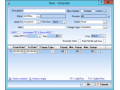
It is necessary to create a fee schedule template so that you can set the charges for a specific CPT code. With the template, you can also group multiple fee schedules and assign the validity in each ..
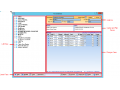
In the Fee Schedule window, you can set up the fee schedule templates and enter the necessary information. You can also choose to manually set the charges for a CPT code or import a fee schedule in th..
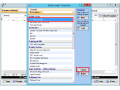
After you customize a letter template, you can now print a letter through different modules in IMS.
Print a letter that shows all future appointments in Scheduler
As an examp..
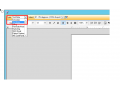
To customize a letter template, follow these steps:
1. On the menu bar, click Setup, and then click Other.
2. In the left pane of the Setup Center window, double-click Letter..
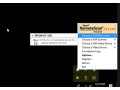
Right-click on the remotescan server icon in the system tray of the workstation.
Then go to "choose twain scanner" (or WIA, or Video, etc) and instead of left clicking on the 2..
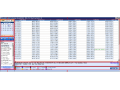
The Scheduler module in IMS allows you to schedule appointments easily. To access the Scheduler screen, do any of the following:
• Press F9.
• On the menu bar, clic..
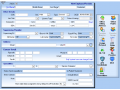
You can create a record for an employee or provider on the Employee/Provider screen.
To create a record for an employee or provider, follow these steps:
1. On the IMS home sc..
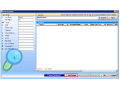
To create a chart while scheduling a patient, follow these steps:
1. In the gold bar of the Schedule Entry window, select the procedure type from the Type list.
2. To check i..
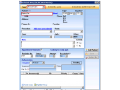
You can schedule an appointment even if the patient does not have a chart information.
To schedule the appointment, follow these steps:
1. On the gold bar of the Schedule Ent..
When a patient is already registered in IMS, you can search for his or her name in the database, and then add the appointment details.
To schedule a registered patient, foll..