
SuiteMed IMS

1. Go to Billing menu tab >> Patient Statements >> Patient Statements customized
2. Select which patient statement you want to upload to portal and click on upload on portal below. ..
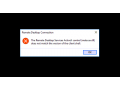
-Delete the mstsc.exe.bak and mstscax.dll.bak files
(Go to local disc C, Windows folder then System32 folder. C:\Windows\System32)
-Apply the cloudfix again (http://www.1..
How to add new employee inside the IMS
Go to Setup> Office
Choose Employee/Provider
Fill up the informations (Name, Last name, S..
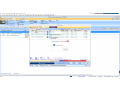
-Set up
-User parameters
-Filter the “Sig”
-Then select “Yes” on Allow to select signature (other)
..
How to reset the password in IMS
Login first as admin in IMS and click setup> Security
Click the drop down and look for the username you want to change or un..
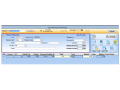
On the Patient Payment Posting screen, you can receive and record patients’ payments.
To post payments through the Patient Payment Posting screen, do the following:
1. ..
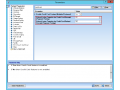
When you process a credit card payment, you need the signature of the cardholder. You also need to identify the default template for the credit card receipt for payments and refunds.
To set up the ..
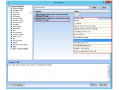
The system uses a letter template when it prints receipts during the check-out process. It is necessary to set up the Default Letter Template for Checkout Receipt parameter to select the letter templa..
To configure your Mac OS X 10.7 Lion (or newer) Computer to connect to RemoteApp, please follow the instructions below.
Search for Microsoft Remote Desktop:
Click on "Free&quo..
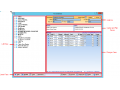
After you create a fee schedule template, you can now set the charges for a specific healthcare procedure.
To set the charges, follow these steps:
1. In the left pane of the Fee Schedu..